


| Version | Change log |
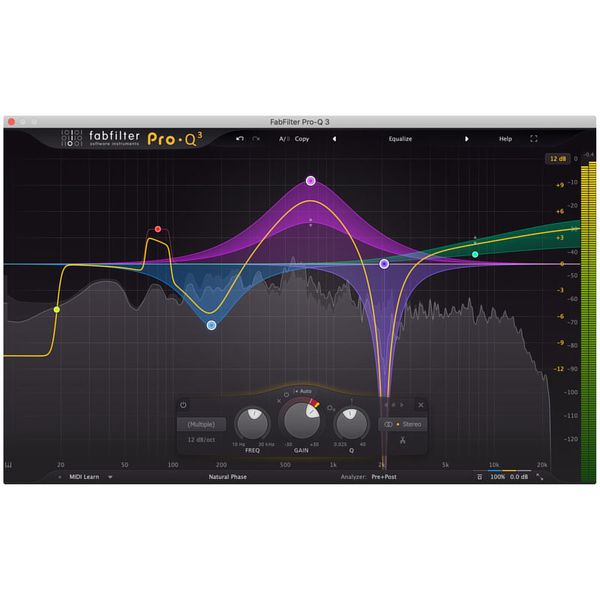
| FabFilter Pro-Q 2.05 Mar 19, 2026 |
Fixed a bug that could cause another parameter to jump to its maximum value when editing e.g. the frequency in the EQ parameter value display and then pressing Tab on Windows. Fixed a bug that could cause spurious vertical lines in the spectrum display on displays with a width of more than 4096 pixels. Fixed a bug that caused two undo states to be added after editing a value by typing it in the parameter value display on Windows (so you had to click Undo twice). Improved error messages when loading an invalid preset. Minor bug fixes and small improvements. |
| FabFilter Pro-Q 4.11 Mar 19, 2026 |
Fixed problems with interface sizing and scaling that could cause the interface to end up too large or impossible to resize on all platforms, but particularly with Logic Pro on macOS. Clicking the slope value in the parameter value display (for a LP/HP band) will now open a slope menu instead of letting you change the slope by dragging up or down. The new behavior is the same as clicking the slope button in the band controls. Fixed a bug that caused the Side Chain option in the EQ Match reference menu not to work. Fixed a bug that sometimes caused loading a previously saved EQ Match reference spectrum to result in an empty spectrum. Fixed a bug in EQ Match that caused comparing a signal to itself to yield around a 1 dB difference, instead of a flat spectrum. Fixed a crash in the instance list that could occur when the track order is updated (for example on stop/start playback) while the mouse is over an instance. Fixed a bug that caused the incorrect latency to be reported when using spectral bands in combination with Very High or Maximum processing resolutions. Fixed a bug that caused the processing warning icon to be shown when using Zero Latency processing, while the (unused) processing resolution parameter was still set to Very High or Maximum. Fixed a possible crash when having two Pro-Q 4 windows open showing the instance list. Fixed a crash when closing the interface with a text editor open on Windows (for example when double-clicking to type a parameter value). Minor bug fixes and improvements. |
| FabFilter Pro-Q 4.10 Jan 23, 2026 |
Added support for the 5.1.2 channel layout in the VST3 plug-in. Fixed a bug that could cause small audible artefacts for very quick parameter changes. Minor bug fixes and improvements. |
Total downloads
145
Last month's downloads
7
Last week's downloads
2

Looking for a powerful audio plugin that can help you create a wider, more ... to detail by Blue Cat Audio, this stunning plugin offers a range of advanced features and options designed to help you achieve an extraordinary sonic palette. ...


... powerful EQ section with a wide range of filter types and shapes, giving you complete control over ... Download now and experience the power of professional audio processing! ...


... Audio's latest software, Widening Liny EQ. This powerful plugin is a must-have for any audio engineer or ... With its intuitive user interface and advanced features, Windows and Mac users alike can seamlessly customize and sculpt their audio to perfection. The plugin features 8 EQ bands, including high and low ...

... audio software from Blue Cat Audio. This versatile plugin is perfect for musicians, producers, and engineers who ... to visualize your audio in real-time and make precise adjustments to individual frequency bands. Whether you're cleaning up ... simply adding some sparkle to your mix, this plugin is the perfect tool for the job. In addition ...