


| Version | Change log |
| MPV-EASY Player 0.41.0.3 Mar 1, 2026 |
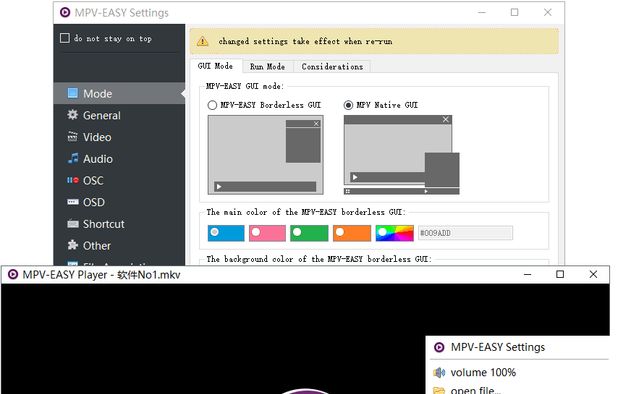
The code has been improved. Now, during normal startup, temporary DLL files are no longer automatically generated in the `temp` folder each time, preventing antivirus software from scanning these DLLs and slowing down startup, thus speeding up startup. MPV-EASY Borderless GUI Mode: The position of the controls in `osc: [2line-center]` has been adjusted. The controls in the second row are now higher and more aesthetically pleasing. Fixed an issue where, when minimizing and pausing is enabled, the window would automatically revert to play mode after being minimized and then restored from its previous state. Fixed an issue where, when minimizing and pausing is enabled, the window would automatically revert to play mode when the settings interface is opened via the menu after being maximized and then paused. MPV-EASY Settings Interface: Updated an untranslated section in the Japanese translation. |
| MPV-EASY Player 0.41.0.2 Dec 29, 2025 |
Japanese translation added. Thanks to coolvitto (github.com/coolvitto). All invalid translations in the translation file have been removed. MPV-EASY settings interface: The default width of the interface has been slightly adjusted to prevent the issue in the Japanese interface where the "Allow hardware decoding? Hardware decoding mode" option only displays the option and not the preceding text due to the translated text being too long. |
| MPV-EASY Player 0.41.0.1 Dec 27, 2025 |
The default keyboard shortcuts in default-input.lua have been adjusted, and a right-click command has been added. Now, right-clicking will display the mpv's built-in selection menu (select/menu). Since gpu-next has become the default setting for mpv, it means that it is basically stable. Now the default output driver synchronization has been changed from gpu to gpu-next. The optional configuration profile for vo=gpu/gpu-next in rjno1.conf has been separated into a separate automatic setting, thus avoiding interference from other configurations and enabling better adjustment of playback quality and performance. MPV-EASY Borderless GUI Mode: The algorithm measures the computer's current performance and optimizes the initial display speed of the interface when playing files without video content. This ensures compatibility with low-spec computers while avoiding the problem of the interface displaying too slowly on high-performance computers. The triggering behavior for "Lock Mode" has been adjusted, changing from triggering with a single right-click to a double right-click, thus relinquishing the right-click behavior. This allows users to easily modify the right-click command in input.conf to invoke scripts that use mpv's Context Menu functionality, just as the default right-click triggers a selection menu. MPV-EASY settings interface: The "Graphics/Performance Preferences" option and comments have been added, which allows you to easily adjust the optional configuration (profile) of vo=gpu/gpu-next. [Hardware Decoding Mode] Added: [vulkan] [vulkan-copy] options. The order of the options has also been adjusted according to the manual. The recommended ones are listed above. The description for "[Shortcut Key: Lock Mode]" has been changed to: Right-click and double-click. Add the "gpu-next" option to the "Output Driver". Translation Update: The `gpu-hq` setting in the "Output Driver" comment has been changed to & |
Total downloads
80
Last month's downloads
4
Last week's downloads
0
Top Download Club is pleased to present MPlayer Portable - a revolutionary media player that's taking the world by storm. Developed by ... to give users an unparalleled media experience on-the-go. With MPlayer Portable, you can enjoy all your favorite videos ... abroad, or just lounging at home, this media player has everything you need to stay entertained and ...


... is proud to feature the outstanding VLC Media Player developed by the trusted software developer, Videolan. This media player is a must-have in any computer system. What makes VLC stand out from other players in the market is its ability to play ...

Looking for a reliable media player? Look no further than Gom Player, developed by GOM & Company. This software is ... listen to music, or even view subtitles, Gom Player has got you covered. Its range of features ... support for a wide range of file formats, customizable skins, and the ability to adjust playback speed. ...