



| Version | Change log |
| VideoCAD 15.0.0.0 Dec 28, 2025 |
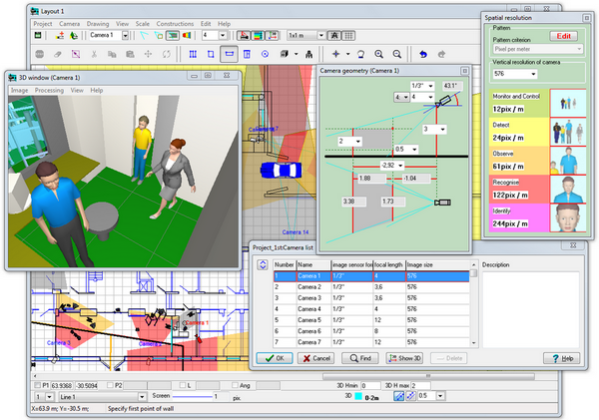
Project analysis tools: Territories are defined areas on the location layout that require video surveillance with specific parameters. VideoCAD calculates the video surveillance parameters the project provides within the territory boundaries and presents them as a table. Using Territories allows you to: Formalize technical specifications and design results. A technical specification can be a simple list of areas marked on the layout with the required surveillance parameters. Receive design results as numerical values convenient for analysis and further processing. Efficiently handle projects with a large number of cameras, dense camera placement, and intersecting view area projections. Using Territories is a step toward automating video surveillance design. Working with Territories is possible only in VideoCAD Professional. On the layout, each territory is bounded by one or more closed polygons of arbitrary shape. Territory polygons in 2D can vary in color, shading type, or lack thereof, and can be hidden. In 3D, territory polygons can be bounded by vertical planes and vary in color or not displayed. A project can have an unlimited number of territories. Territories can intersect and be nested within each other. Each territory is assigned a Pixel Density pattern from those available in the Pixel density window (e.g. Home Office Scientific Development Branch, P 78.36.008-99, European Standard EN 50132-7, Johnson Criteria, etc.), regardless of the Pixel density patterns assigned to individual cameras. Each Pixel Density pattern has a Calculation Criterion set from the list: vertical (horizontal) pixel density; height (width) of the field of view; number of vertical (horizontal) pixels per object of height (width); portion of the height (width) of the field of view occupied by an object of height (width). According to the value of the Pixel Density pattern Criterion, the parameters of each Territory are calculated: The minimum, maximum, and average values of the Criter |
| VideoCAD 14.0.0.0 Nov 29, 2024 |
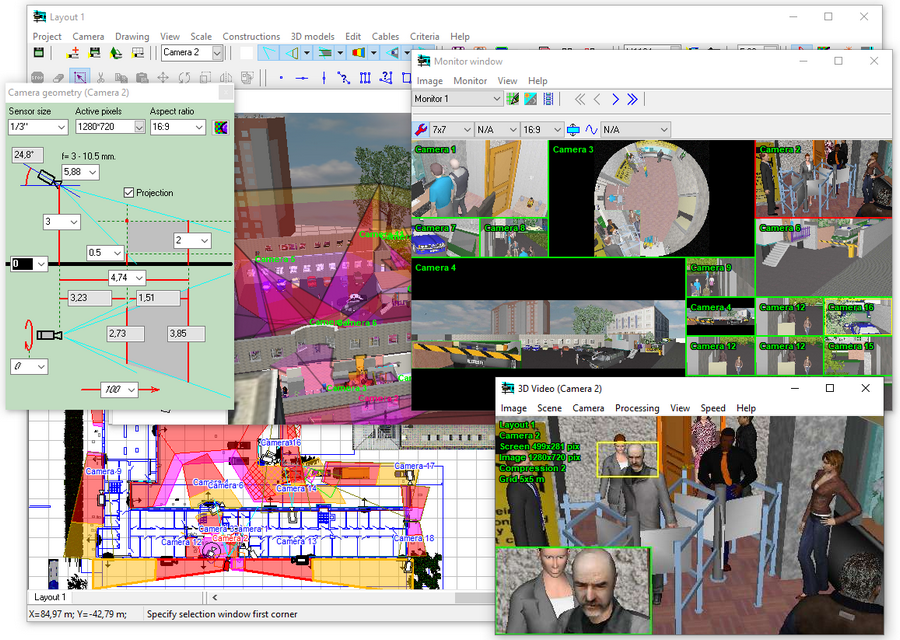
Significant increase of speed and load capacity: Increase in the speed of rendering cameras with view area projections in the Graphics window up to 10 times. Increase the speed of rendering 3D models in the Graphics window up to 50 times. Increase in the speed of rendering constructions from lines (lines, angles, rectangles, walls...) in the Graphics window by 2-3 times It became possible to work with the simultaneous display on the screen of several thousand 3D models and hundreds of cameras with the most complex types of view area projections.* Enabling filling of projections of view areas and gradient filling practically does not slow down the program. Accurate modeling of lens distortion no longer slows down the program and can be used constantly for all cameras in the project for the most accurate modeling of real shapes of projections of view areas, without simplifications. Turning on the High Resolution on top mode slows down the program only slightly. Previously, the slowdown from this mode was significant Building projections of view areas On two levels slows down the program only slightly. Previously, the slowdown from this mode was strong. Significant acceleration has been achieved in drawing complex graphics, such as PTZ or Fasheye cameras with gradient fills and a large number of obstacles Significant acceleration has been achieved in drawing complex graphics, such as PTZ or Fasheye cameras with gradient fills and a large number of obstacles Many procedures have been rewritten, bottlenecks have been identified and optimized. Working with complex projects has become more comfortable and stable. Added the 2D Graphic Interface switch to the Options box: OpenGL (default, fast technology) and GDI+ (slow, but maximally compatible Windows technology). *To speed up complex graphics, VideoCAD14 loads generated objects into the video card memory and uses the graphics processor, so the maximum number of objects in a project depends on the capabilities of the video |
| VideoCAD 13.0.0.0 Oct 31, 2023 |
Total downloads
72
Last month's downloads
1
Last week's downloads
0

Looking for an all-in-one solution for your CCTV design and analysis needs? Look no further than CCTVCAD Lab Toolkit from CCTVCAD Software. This complete toolkit provides all the tools and analysis you need to design effective and efficient security systems, including ...