



| Version | Change log |
| XMPlay 4.1 Jan 11, 2026 |
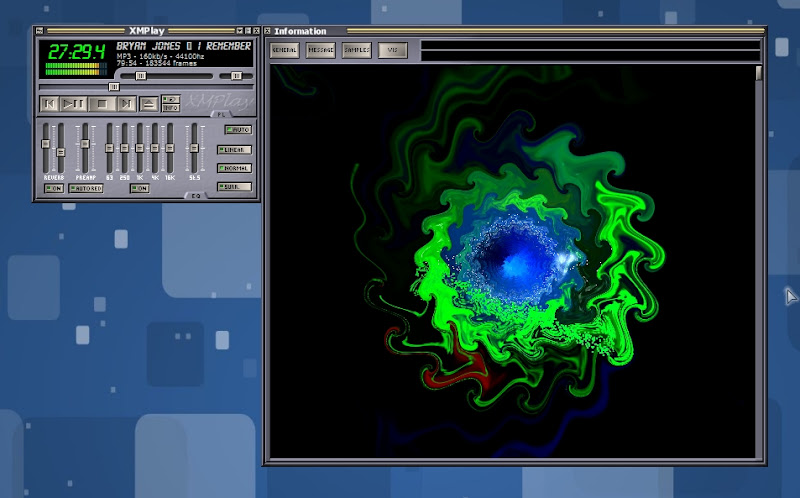
Skin saturation adjustment Waveform visualisation DPI-awareness on Windows 10/11 to prevent scaling blurriness Support for long output device names and exotic characters in them Option to automatically use the output device's native sample rate First/last EQ bands extended to cover all frequencies below/above Input plugin priority filetypes are checked before archive detection Wildcard (?*) support in ignored/priority filetype settings "mod." files recognised as "mod" for ignored/priority filetypes Files can be renamed in the Track info window Support for MP3/MP2/MP1 data in single track MP4 files Support for Media Foundation AC-4 decoder Support for ZIP files larger than 4GB Faster loading of large playlists Clearer indication of where drag'n'dropped files will be inserted in the playlist Files can be dropped on the add button (+) to put them at the end of the playlist Files can be dragged over the playlist scrollbar for faster scrolling to wanted position File size matching when searching for moved files is now optional USERPROFILE% can be used in encoder/tool command-lines Native Visualisation plugin system (see plugin SDK) A few skinning enhancements (see skinning kit) |
| XMPlay 4.1.0.1 Jan 9, 2026 |
Skin saturation adjustment Waveform visualisation DPI-awareness on Windows 10/11 to prevent scaling blurriness Support for long output device names and exotic characters in them Option to automatically use the output device's native sample rate First/last EQ bands extended to cover all frequencies below/above Input plugin priority filetypes are checked before archive detection Wildcard (?*) support in ignored/priority filetype settings "mod." files recognised as "mod" for ignored/priority filetypes Files can be renamed in the Track info window Support for MP3/MP2/MP1 data in single track MP4 files Support for Media Foundation AC-4 decoder Support for ZIP files larger than 4GB Faster loading of large playlists Clearer indication of where drag'n'dropped files will be inserted in the playlist Files can be dropped on the add button (+) to put them at the end of the playlist Files can be dragged over the playlist scrollbar for faster scrolling to wanted position File size matching when searching for moved files is now optional USERPROFILE% can be used in encoder/tool command-lines Native Visualisation plugin system (see plugin SDK) A few skinning enhancements (see skinning kit) |
| XMPlay 4.1 Dec 24, 2025 |
Skin saturation adjustment Waveform visualisation DPI-awareness on Windows 10/11 to prevent scaling blurriness Support for long output device names and exotic characters in them Option to automatically use the output device's native sample rate First/last EQ bands extended to cover all frequencies below/above Input plugin priority filetypes are checked before archive detection Wildcard (?*) support in ignored/priority filetype settings "mod." files recognised as "mod" for ignored/priority filetypes Files can be renamed in the Track info window Support for MP3/MP2/MP1 data in single track MP4 files Support for Media Foundation AC-4 decoder Support for ZIP files larger than 4GB Faster loading of large playlists Clearer indication of where drag'n'dropped files will be inserted in the playlist Files can be dropped on the add button (+) to put them at the end of the playlist Files can be dragged over the playlist scrollbar for faster scrolling to wanted position File size matching when searching for moved files is now optional USERPROFILE% can be used in encoder/tool command-lines Native Visualisation plugin system (see plugin SDK) A few skinning enhancements (see skinning kit) |
Total downloads
98
Last month's downloads
1
Last week's downloads
1

... support for multiple media players such as Winamp, Windows Media Player, and iTunes. You can even translate lyrics into different languages, search for song information and album covers, and create playlists based on your favorite songs. With EvilLyrics, the possibilities are ...